Filevine Client Portal Integration
Turn Filevine into a client engagement powerhouse. Quilia handles client communication while Filevine manages your cases. Your clients get the attention they deserve without extra work from you.
See how Filevine and Quilia work together to enhance client engagement and streamline your practice.

Enhance Your Filevine Workflow
Quilia complements Filevine by focusing on client engagement and communication. While Filevine manages your cases, Quilia ensures your clients stay informed and engaged throughout their legal journey.
Streamlined Client Communication
Enhance Filevine's capabilities with Quilia's client communication tools. Keep clients informed and engaged without adding complexity to your workflow.
Automated Case Updates
Automatically sync case updates between Quilia and Filevine. Clients receive timely notifications while your case files stay up to date.
Integrated Workflow
Seamlessly integrate Quilia with your existing Filevine workflow. No disruption to your current processes, just enhanced client engagement.
Expert Support
Get expert support for your Filevine integration. Our team helps you set up and optimize Quilia to work seamlessly with your Filevine practice.
Transform Your Legal Practice with our Integration
- Automate treatment reminders and reduce administrative burdens.
- Schedule appointments and automate reminders to reduce no-shows.
- Facilitate seamless communication between legal teams and clients.
- Securely manage and sign documents online.
- Empower clients with self-service tools to manage their treatment and case progress.
Want a demo?
Send us your info and we'll contact you right away.
How does Quilia compare to VineConnect?
Compare Quilia to Filevine's VineConnect client portal. Learn which solution is right for your law firm.
Read the full comparisonFilevine FAQs
Common questions about using Quilia with Filevine
Does Quilia integrate with our case management system?
Yes. We integrate with Filevine, 8am MyCase, 8am CasePeer, and more. Client info flows directly into your system automatically—no double entry.
Do we have to manage a separate portal?
No. Quilia is the anti-portal. Traditional portals make your team do more work—Quilia does the opposite. Clients handle their own updates, and those updates flow into your CMS. No extra logins or systems to manage.
How does Quilia integrate with Filevine?
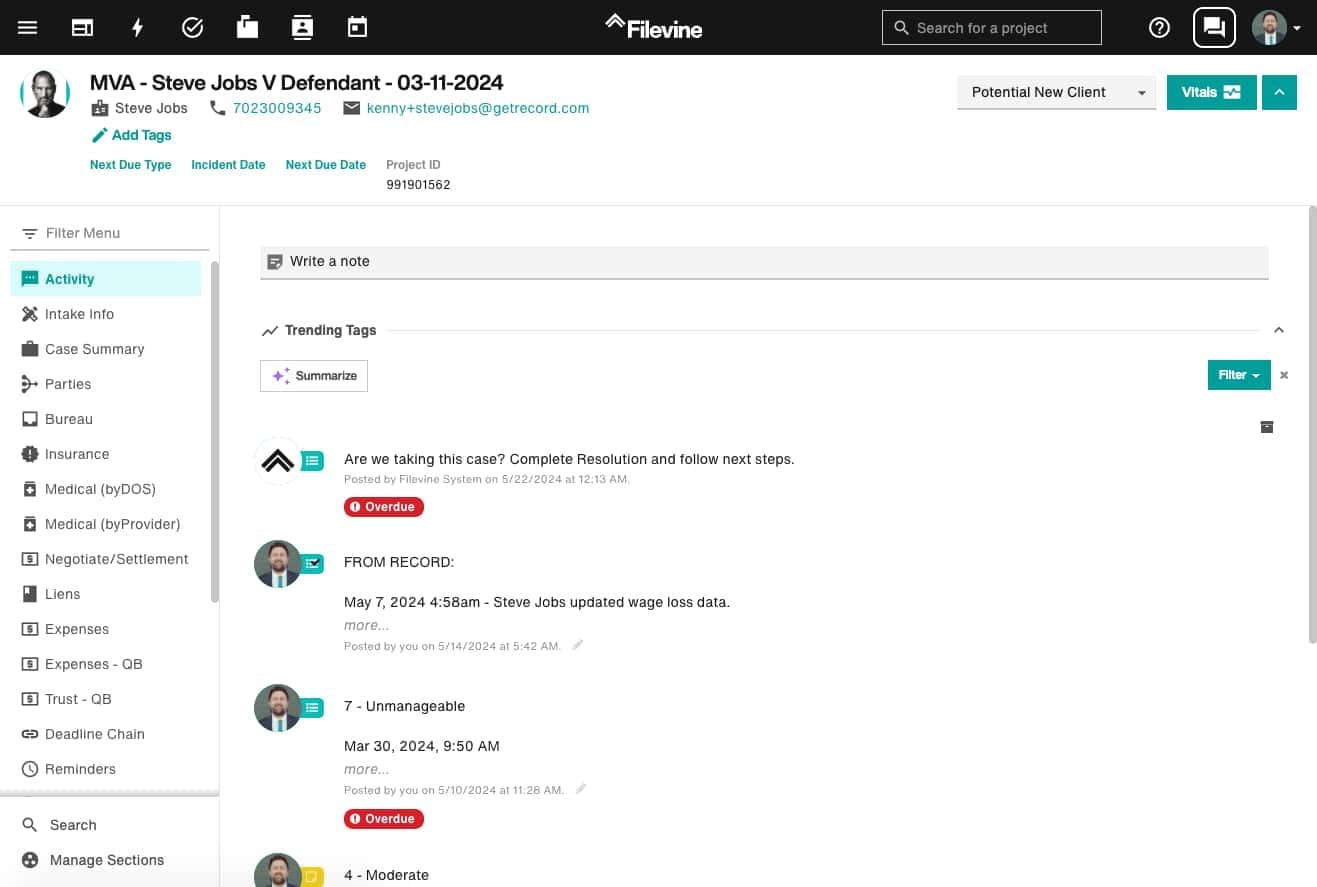
Quilia connects directly to Filevine. Client-submitted messages, documents, and form responses flow into your Filevine project in real time, mapped to the the activity feed and documents sections. No double entry is ever required.
How is Quilia different from VineConnect?
While both platforms enhance client communication, Quilia offers broader integration options, comprehensive automation, and a digital case manager that actively guides clients through their cases. VineConnect is limited to Filevine users only. Read our full comparison at /articles/quilia-vs-vineconnect-whats-the-difference/
Can Quilia work with Filevine's project templates?
Yes. Quilia integrates seamlessly with Filevine's project structure and templates. Client data automatically populates the appropriate fields and sections based on your firm's Filevine configuration.
Does Quilia sync with Filevine's document management?
Absolutely. All documents uploaded through Quilia automatically sync to the correct Filevine project and are organized in the documents section. They're properly tagged and searchable within your Filevine system.
Can Quilia enhance Filevine's client portal experience?
Yes. While Filevine has a basic client portal, Quilia transforms it into an active engagement platform with automated reminders, treatment tracking, pain score logging, and mobile-first notifications—all happening automatically.
What if my CMS isn't listed?
We support custom setups through Zapier and API, and we're constantly expanding our integration list. If your CMS isn't listed, we'll work with you to make it happen.
How long does it take to set up an integration?
Most integrations can be set up in under 30 minutes. We handle the technical configuration, and you just need to connect your account. Some custom integrations may take a few days depending on complexity.
Do I need technical knowledge to set up integrations?
No. Our integrations are designed to be plug-and-play. We provide step-by-step guides and our team can help with setup if needed. Most firms are up and running the same day.
Can I use multiple case management systems with Quilia?
Yes. You can connect Quilia to multiple case management systems if your firm uses different platforms for different case types. Each integration works independently.
What happens if my case management system updates or changes?
We monitor all our integrations and update them automatically when case management systems release new versions. You don't need to do anything—the integration continues working seamlessly.
Is my data secure when syncing between systems?
Absolutely. All data transmission is encrypted using industry-standard security protocols. We maintain the same security standards as your case management system to ensure client confidentiality.
Can I customize what data syncs between Quilia and my CMS?
Yes. You can configure which types of data sync between systems. Most firms sync everything, but you can choose to sync only specific data types if preferred.
What if the integration stops working?
We monitor all integrations 24/7 and fix issues immediately. If something goes wrong, our team is notified automatically and resolves it quickly. You'll rarely notice any downtime.