Ready to Transform Your Law Firm's Case Management?
35 videos
Dive into our curated video collection showcasing the benefits of case management software for personal injury law firms. Discover how Quilia's mobile app enhances client communication, streamlining your practice and improving client satisfaction.
 Vertical1:14
Quilia Ink: Faster Client Signatures
Quilia Ink makes it easy for clients to sign documents instantly from their phone. No emails to dig through. No accounts to create. Just a simple tap, fill, and sign experience built directly into the Quilia app. Why It Works Better on Mobile Clients get a text + push notification instantly Opens directly to the document Clean, guided form instead of a cluttered PDF Sign and submit in seconds Built for Law Firms No per-signature fees No extra tools to manage Syncs automatically with your case management system Designed for personal injury client workflows Most e-signature tools fail before the client even opens the document. Quilia Ink removes that friction completely.
personal injury softwarecase management softwarelegal techclient communication 1:14
1:14Quilia Ink: E-Signatures for Law Firms Without DocuSign Friction
Quilia Ink is a built-in e-signature solution designed specifically for personal injury law firms. Stop chasing signatures through email. With Quilia Ink, clients receive documents directly inside the Quilia app they’re already using for their case. No logins, no confusion, no missed emails. Why Quilia Ink? No more lost DocuSign emails No account creation required for clients Mobile-first signing experience Push notifications and text reminders built in No per-signature fees Automatic sync with your case management system How It Works Upload a PDF in the Quilia portal Add signature, text, and date fields Send instantly to your client Client signs in a simple, guided form Completed document syncs back to your system Built for Law Firms Quilia Ink is part of the Quilia client app, helping law firms improve client compliance, reduce delays, and streamline document collection without adding another tool to manage.
personal injury softwarecase management softwarelegal techclient communication Vertical1:17
Joe on Quilia: Faster Updates, Happier Clients, and Less Phone Tag
Joe Klenofsky breaks down why his firm is all-in on Quilia. Instead of juggling constant phone calls, chasing updates, or reminding clients what happened at appointments months ago, the team now gets everything straight from the Quilia app. Clients log pain scores, journal their injuries, upload documents, and track appointments right from their phone. The firm can add providers and upcoming appointments too. And with built-in chat, communication feels natural without another portal to manage. For Joe’s firm, the impact is real: smoother workflows, fewer interruptions, and clients who actually feel involved in their case. It’s simple, fast, and just works.
case management softwareclient communicationlaw firm efficiencypersonal injury attorneys 2:08
2:08Introducing Quilia Requests: Custom Forms, Faster Client Responses
Quilia’s newest feature, Requests, gives your firm a faster way to collect accurate client info without chasing emails or paper forms. You can build your own digital questionnaires, injury check-ins, discovery responses, TBI forms, or anything else your workflow needs. Create a template once, send it instantly, and your client gets a push notification right on their phone. They fill it out, upload files, and their responses sync straight into the Quilia portal and your case management system. It cuts out the back-and-forth, speeds up turnaround times, and keeps clients more engaged throughout their case. Templates can be reused, updated, and organized for future matters. Coming soon, clients will be able to sign documents directly in-app with secure digital signatures. The video also highlights Quilia’s partner program, where attorneys, case managers, and paralegals can earn commissions for referrals. If you want help setting up Requests or want a quick walkthrough, visit quilia.com/support.
case management softwareclient communicationlaw firm efficiencypersonal injury attorneys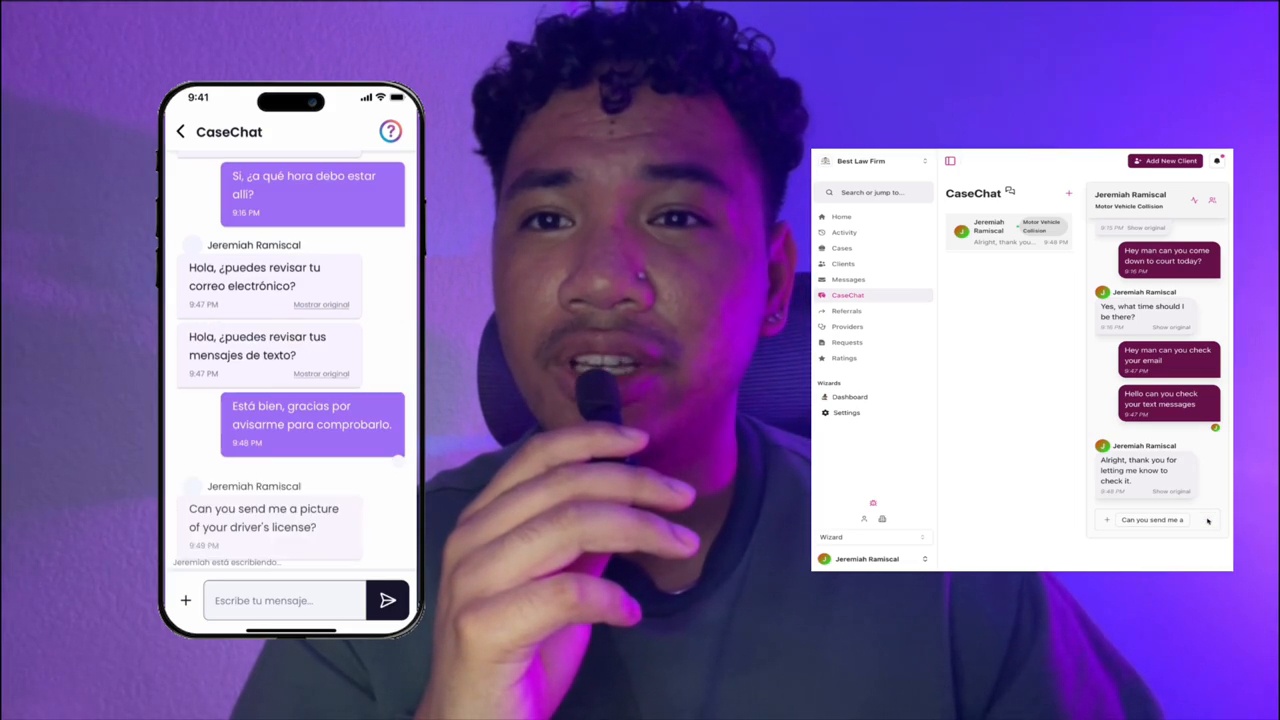 2:22
2:22Introducing Real-Time Translation in CaseChat
Experience the new CaseChat from Quilia — redesigned for speed, clarity, and effortless communication. This update brings real-time translation, allowing you to chat seamlessly with clients in their preferred language, whether it’s Spanish, Tagalog, or beyond. The new interface feels natural across desktop and mobile, with cleaner message bubbles, smoother performance, and improved attachment handling. You’ll also get a sneak peek at what’s next: custom client requests, letting your firm send forms, collect updates, and receive organized responses tied directly to each case.
personal injury law firmpersonal injury softwarecase management softwarelegal tech Vertical0:59
Fixing Client Communication & Boosting Settlements
This short, scroll-stopping video shows how Quilia helps law firms simplify client communication, cut down on wasted staff time, and boost case outcomes. When clients can send updates, photos, and documents straight to the attorney’s team, demand packages are stronger, settlements are higher, and referrals come naturally. Quilia isn’t just another client portal — it’s the client app built to make your firm run smoother and grow faster.
personal injury softwarecase management softwareclient communicationlaw firm efficiency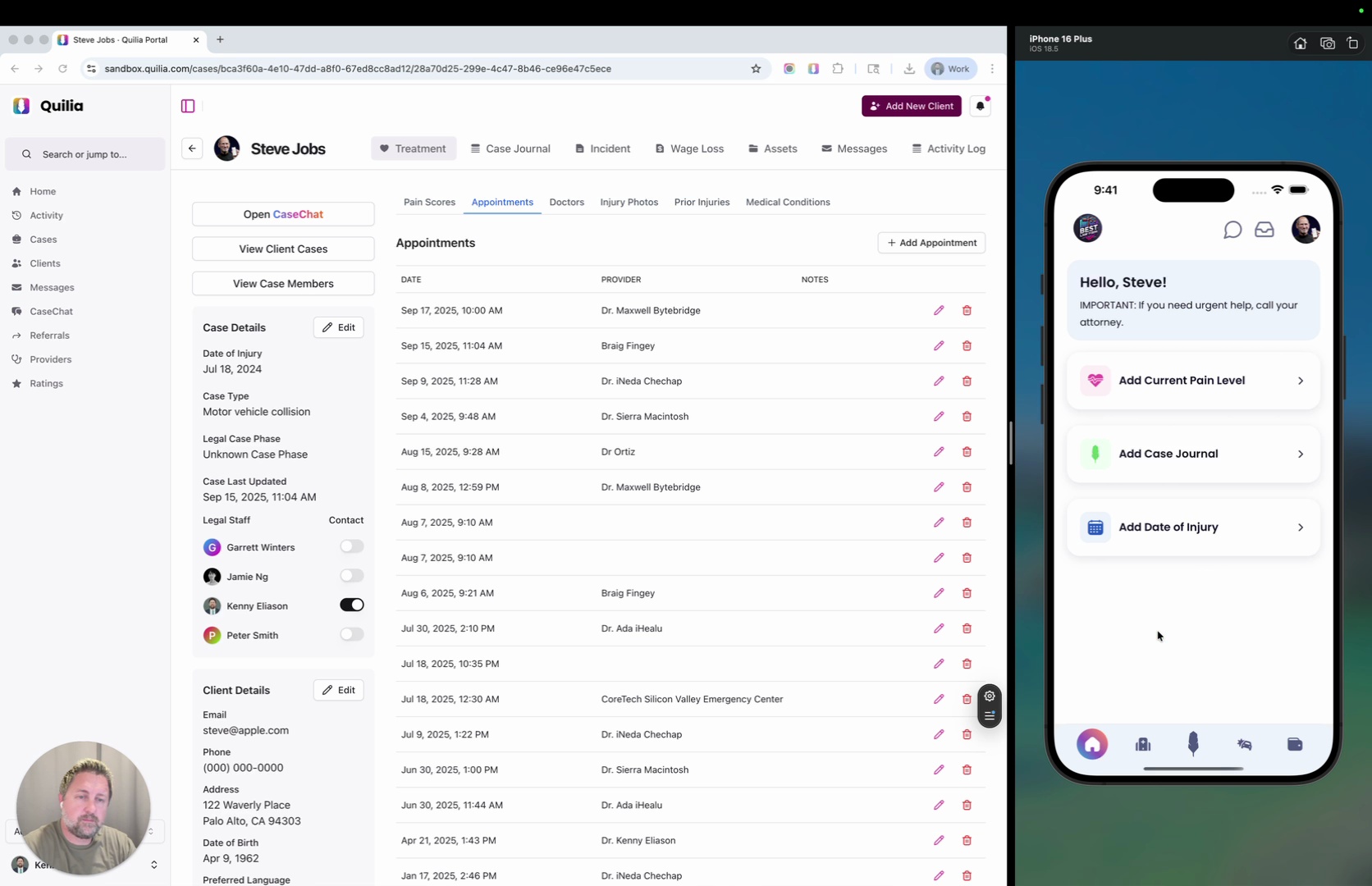 0:35
0:35How to Add an Appointment to a Client’s Case
Learn how to quickly add an appointment for a client in Quilia’s portal. In this short walkthrough, we cover navigating to the client’s profile, adding the appointment, setting date/time/provider, and confirming that it shows up on the client’s end.
case management softwaretreatment trackingclient portalsautomate case management Vertical1:59
AI-Powered Case Summaries, SmartAdvocate Integration, and More
Big things are happening at Quilia. This update introduces AI-powered case summaries, SmartAdvocate integration, and a host of improvements designed to make your firm run smoother and faster. Here’s what’s new: AI-Powered Case Summaries: Instantly understand what’s happening in a case without reading pages of notes. SmartAdvocate Integration: Manage cases, messages, and client updates in one place — no duplicate data entry. Improved Phase Messages & APIs: Faster client updates and new API tools for firms with custom systems. Enhanced Multi-Case Views: Easily manage clients with multiple cases (and cases with multiple clients). Coming Soon — Case Signal: Smarter insights that help your team fill in gaps before they appear.
personal injury law firmpersonal injury softwarecase management softwarelegal tech Vertical0:54
Quilia – Stop Client Communication Overload
Law firms are drowning in client messages—calls, texts, and emails all demanding updates. Staff end up stressed and overwhelmed, while clients feel ignored. This video captures the problem every firm knows too well: constant “what’s happening with my case?” messages that pile up and pull focus away from real work. Quilia flips the script. Instead of chasing updates, clients enter case details directly into the app. Attorneys and staff get organized, real-time notifications without constant interruptions, and clients feel informed and involved. The result? Less chaos, stronger cases, and happier teams.
case management softwarelegal techlaw firm efficiencypersonal injury attorneys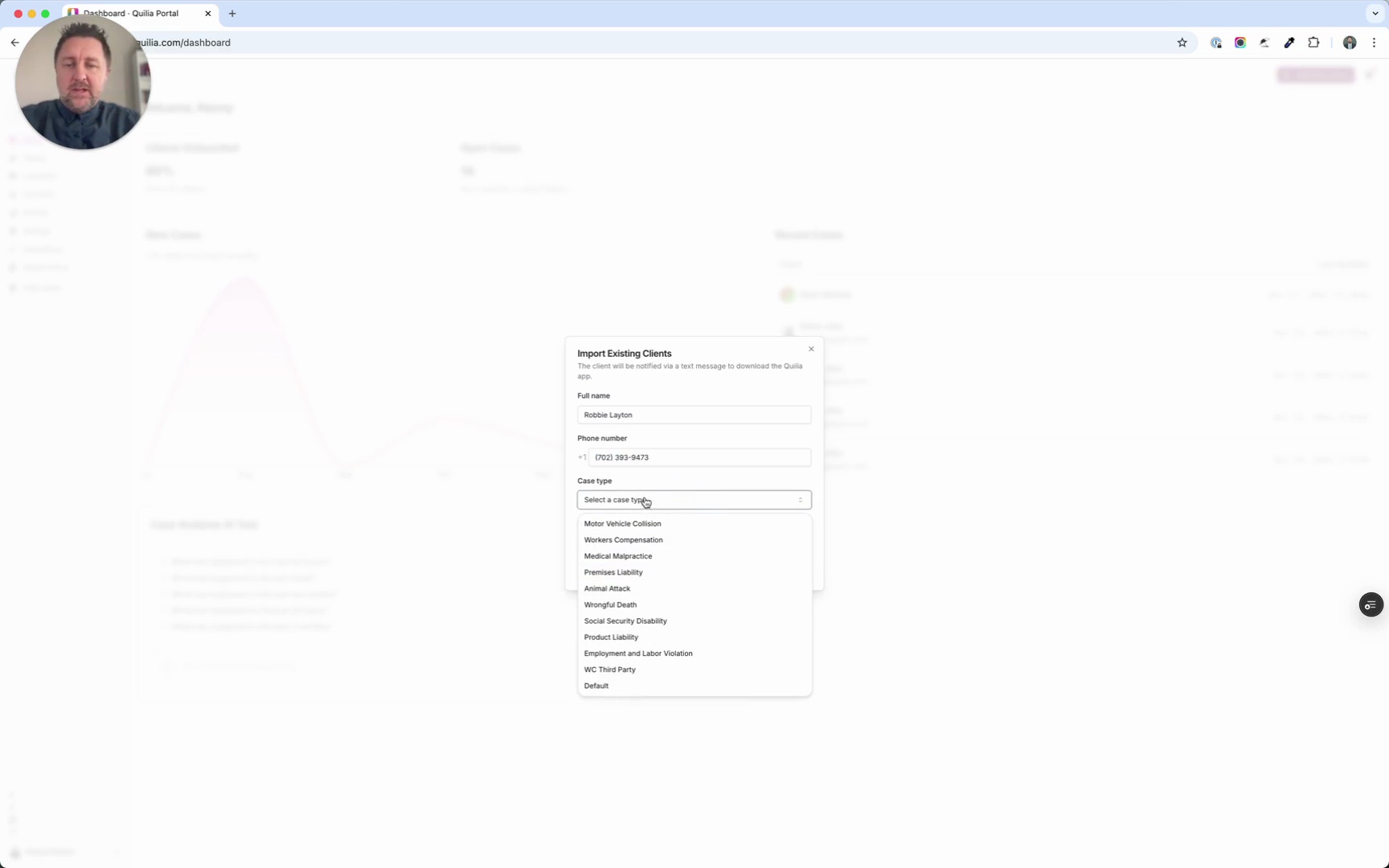 0:33
0:33Adding Your First Client to Quilia
Getting started with Quilia is simple. In this tutorial, you’ll learn how to add your very first client to the platform and send them an invite to download the app. Steps covered in this walkthrough: - Log in and click Add New Client in the top-right corner. - Enter the client’s name, a text-enabled phone number, case type, and preferred language. - Click Add Client to create their profile in Quilia. - To notify them, click Send Download Invite and confirm. That’s it—your client is now set up and ready to participate in their case using Quilia.
case management softwarelaw firm efficiencypersonal injury attorneysclient onboarding Vertical2:10
New Reporting Dashboard
This August 19, 2025 release brings major updates to help law firms manage personal injury cases more efficiently. From upgraded reporting to smarter client onboarding, Quilia continues to streamline workflows so teams can focus on building stronger cases. Highlights in this release: Enhanced Reporting Dashboard – Monthly trend charts, manager-level filters, and dynamic visualizations for quick performance insights. Smarter Client Onboarding – Automated text reminders for incomplete intake steps, plus intelligent language detection for multilingual clients. Friendlier Document Requests – “Required documents” are now framed as “requested documents” for a more client-first tone. Improved Integrations – More reliable Smokeball syncing and overall faster portal performance. Coming soon: Public API access for firms with custom CMS setups and SmartAdvocate integration for automatic syncing of cases, clients, and staff. Don’t forget the Quilia Partner Program—earn 20% commission on referrals, with 40% on your first ten sign-ups at quilia.com/partners
case management softwarepersonal injury attorneyssmokeball integrationclient onboarding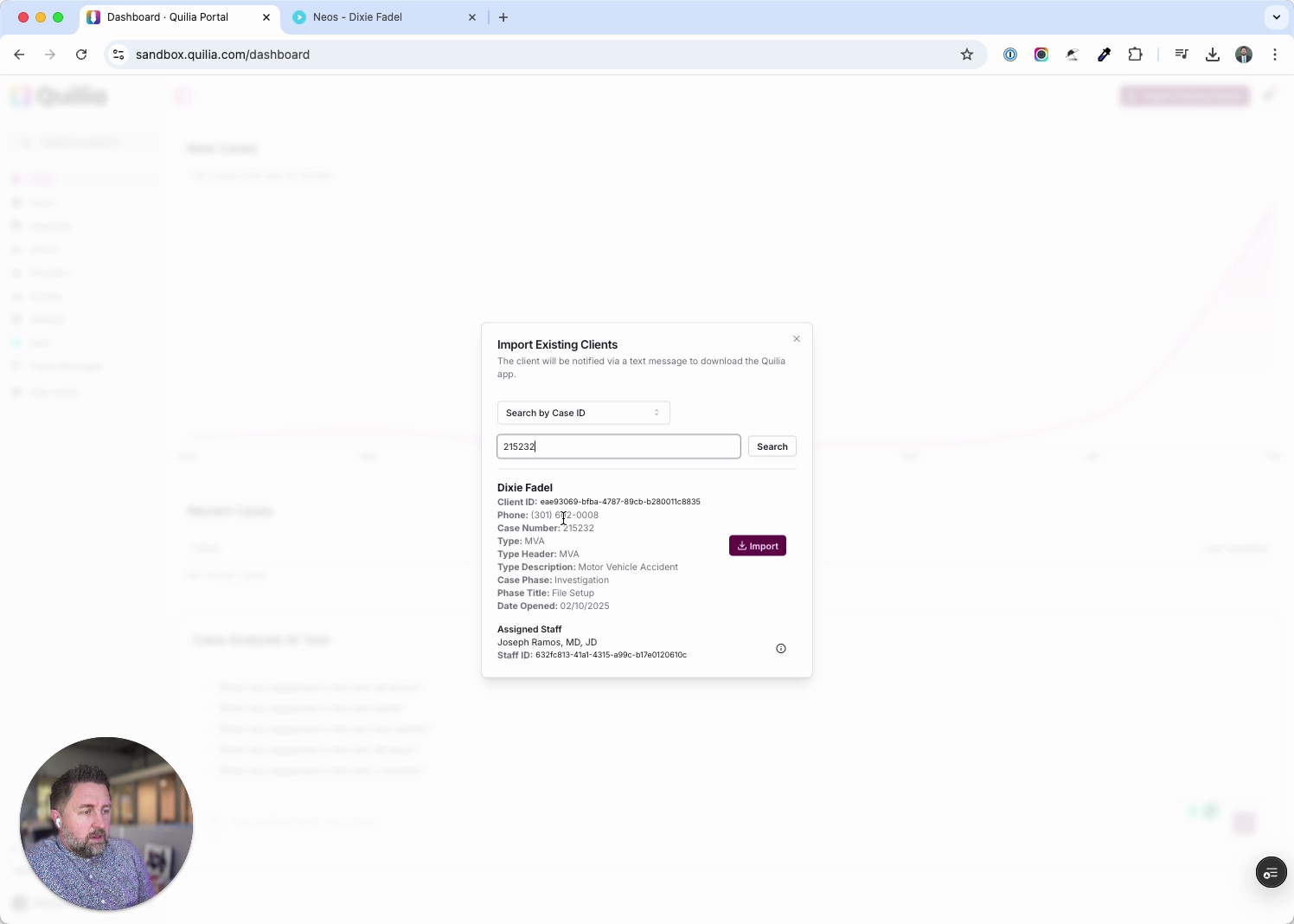 0:53
0:53Adding Existing Clients from Neos into Quilia
This tutorial shows how to quickly import existing clients from Neos into Quilia. The process takes just a few clicks, letting you sync cases and get clients set up in the app right away. Steps covered in this walkthrough: In Quilia, click Import Existing Clients. Copy a Case ID from Neos and paste it into the prompt. Confirm the client’s case details and assigned staff. Complete the import and verify the case is added. If automatic invites are off, send a download invite manually to the client. With this workflow, you can seamlessly pull cases from Neos into Quilia, ensuring clients are ready to start participating in their case without delay.
case management softwarelaw firm efficiencypersonal injury attorneysneos integration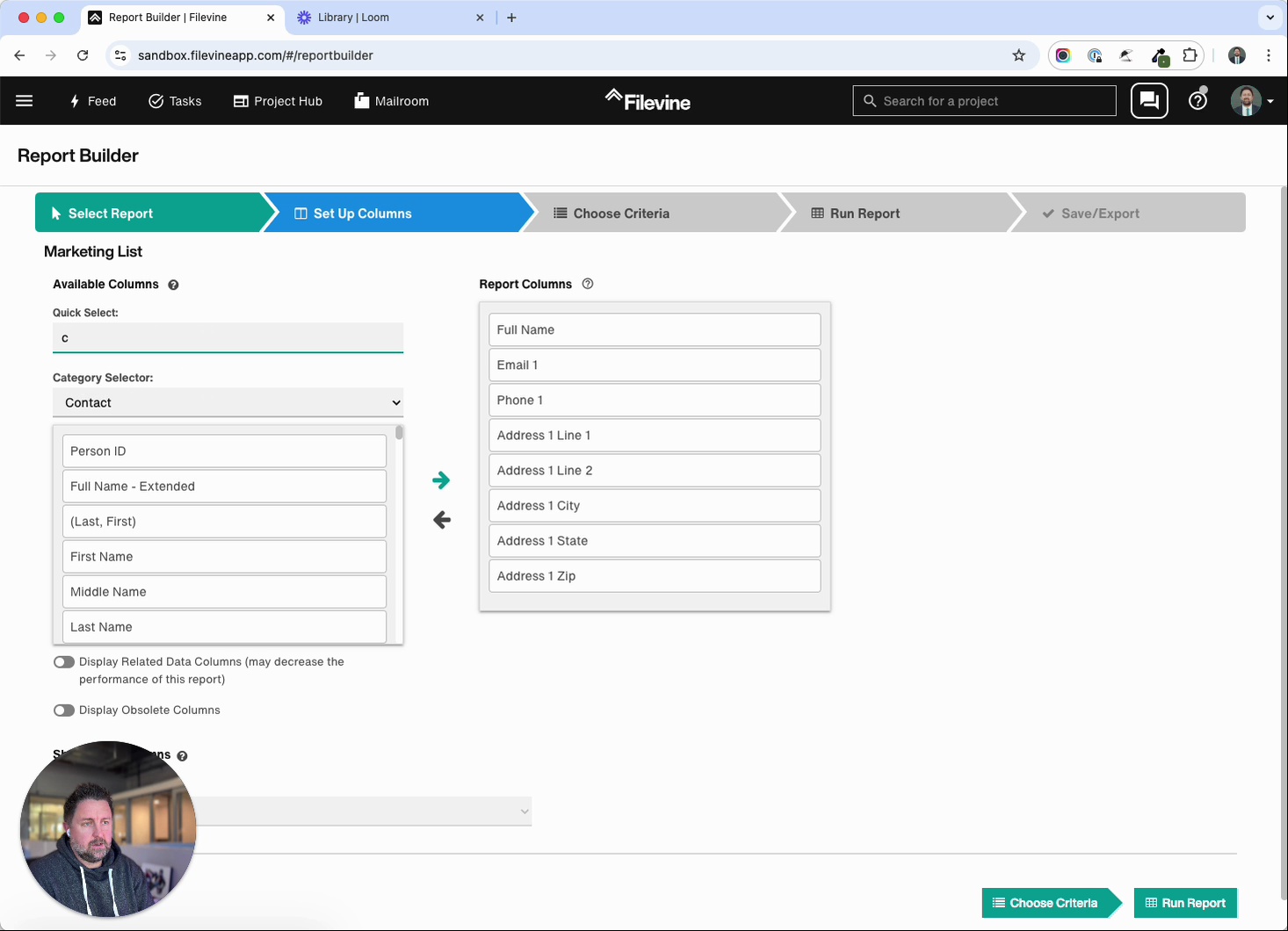 1:07
1:07Filevine Tutorial: Exporting Medical Providers
In this tutorial, Kenny Eliason walks through how to export a list of medical providers from Filevine using the Report Builder. You’ll see exactly how to set up the report, modify fields, and generate a clean export ready for use. Steps covered in this walkthrough: Open Report Builder and choose your marketing list. Replace “Address 1” with “Address Line 1,” city, state, and zip. Add Company Name to the top of your report. Filter contacts by type: medical provider. Run the report, save it, and export to Excel. By following these steps, you’ll have an accurate, organized list of medical providers in minutes.
case management softwarelaw firm efficiencypersonal injury attorneysfilevine tutorial Vertical2:35
Pain Tracking, Smart Uploads, and Neos Sync
This release (live as of August 15, 2025) brings powerful new tools to make personal injury case management smoother, faster, and more client-driven. Jeremiah walks through major updates that improve both client engagement and case outcomes. Key updates in this release: Pain Score Chart: Clients can now log daily pain levels, giving attorneys accurate, time-stamped data tied to treatment milestones. Stronger evidence means stronger settlements. Photo Uploads for Witnesses & Drivers: Clients can add photos directly in the app, keeping visuals organized and instantly accessible for negotiation or litigation prep. Automated Text Reminders: Automatically nudge clients who haven’t set up the app—boosting adoption without extra staff effort. Neos Phase Syncing: Real-time phase updates between Neos and Quilia, reducing manual data entry and keeping both systems aligned. Other improvements: Faster case page loads, more reliable client activity digests, and quicker provider searches. Coming soon: Custom dashboards, appointment reminders, AI-powered digest summaries, and smarter notifications—designed to give your firm deeper insights and help clients stay engaged. Don’t forget about the Quilia Partner Program! Earn 20% commission on every firm referral—and 40% on your first ten. Learn more at quilia.com/partners or reach out anytime at support@quilia.com.
personal injury law firmpersonal injury softwarecase management softwarelegal tech Vertical0:30
Grow Your Law Firm: From Sign-Up to Set-Up in Seconds
Getting clients onto Quilia is fast and frictionless. Once a firm decides to take a case, all it takes is one click inside the case management system to send an invite. The client instantly gets a text with three options: download the app on iOS, download on Android, or log in through the web. From there, setup takes just seconds. Clients enter their phone number, log in, and can start adding updates, documents, and case details right away. No complicated onboarding, no delays—just immediate participation that strengthens the file from day one.
case management softwarelegal techlaw firm efficiencypersonal injury attorneys Vertical0:38
Grow Your Law Firm: Your Clients Can Handle Tech
Law firms often underestimate their clients’ ability to handle technology—but the truth is, most clients already live their daily lives through apps. In this video, we make the case that client-facing tech isn’t just possible, it’s simple. Tools like DocuSign, which are widely adopted, are actually more complicated than most modern legal apps. When you strip it down to clean design and simple, pressable buttons, clients don’t struggle—they engage. The fear that “clients won’t use it” is outdated. With the right approach, even clients who seem less tech-savvy can and will adopt tools that make their lives easier. The result? More engaged clients, less staff overhead, and smoother case management.
case management softwarelegal techlaw firm efficiencypersonal injury attorneys Vertical0:20
Gavin on Quilia: Clarity Without the Chaos
Gavin gets straight to the heart of one of the biggest struggles in personal injury law: communication. Clients want clarity, but constant back-and-forth creates chaos for staff. Quilia changes that by giving clients a clear view of their case while freeing the team to focus on the legal work. It’s structure without the extra workload—a simple way to reduce stress for both clients and firms. For Gavin’s team, it’s exactly the kind of tool modern law firms need.
case management softwareclient communicationlaw firm efficiencypersonal injury attorneys Vertical0:17
Carmen on Quilia: Client Updates Without the Chase
Carmen points out one of the biggest challenges for law firms—getting consistent updates from clients. With Quilia, clients can easily check in, upload documents, and track treatment on their own, without staff constantly chasing them down. That simple shift saves teams hours of follow-up while keeping cases moving smoothly. Stronger updates, less stress, and more time to focus on building better outcomes.
case management softwareclient communicationlaw firm efficiencypersonal injury attorneys Vertical0:15
Naomi on Quilia: Less Follow-Up, More Focus
Naomi highlights one of the biggest challenges for personal injury firms: endless client follow-up. Quilia changes that dynamic by giving clients an easy way to stay engaged in their case without constant check-ins from staff. The result is a win-win—teams can stay focused on building stronger cases, while clients feel more informed and in control of their own process. Less chasing, more progress.
case management softwareclient communicationlaw firm efficiencypersonal injury attorneys Vertical0:53
The Video Podcast Studio: Update Your Case in Pajamas
Law firms run on information, but most updates only happen during office hours—when both attorneys and clients are slammed with other responsibilities. In this video, we show how Quilia bridges that gap by letting clients update their cases anytime, anywhere. From the couch at night to a quick moment before bed, clients can log details that instantly sync to the firm’s case management system. This doesn’t replace attorney relationships—it makes them better. Instead of wasting precious minutes on status calls (“Did you fix the car?”), attorneys spend their client time on real strategy and guidance. The result is higher-quality conversations, stronger cases, and a process that finally works around clients’ real lives. Updating a case should be as easy as doing it in your pajamas.
case management softwarelegal techclient communicationlaw firm efficiency Vertical0:46
The Video Podcast Studio: The Pivot That Made It a No-Brainer
Every great product takes pivots to get right. In this video, we talk about the seven major shifts Quilia went through in its early development. Nine months of conversations, prototypes, and feedback turned the app from an interesting concept into a no-brainer solution for attorneys who saw it and immediately said, “Take my money.” That was the turning point—when attorneys stopped asking “what is this?” and started asking “can I sign up today?” Even before the product was live, the demand was clear. That validation told us we were finally on the right path and gave us the green light to bring Quilia from sketch to market-ready.
case management softwarelegal techlaw firm efficiencypersonal injury attorneys Vertical0:37
Loudr Media: The Case for Better Recordkeeping
Recordkeeping shouldn’t be a nightmare, but for most clients it is. In this video, Kenny shares a personal story: when his wife had a medical malpractice case, her attorney asked for a full list of providers years after the fact. Pulling that information together meant digging through old emails, texts, and calendars—an almost impossible task most clients would put off forever. That experience is exactly why Quilia exists. With the app, clients can easily track providers, appointments, and treatments in real time. Instead of scrambling years later, everything is organized and ready to go at the push of a button. Better recordkeeping means stronger cases, less stress for clients, and faster results for attorneys.
case management softwarelegal techlaw firm efficiencypersonal injury attorneys Vertical1:06
Leduc Entertainment: Make Every Client Your Favorite Client
Every attorney has a “favorite client”—the one who shows up to every appointment, keeps great records, communicates clearly, and makes case prep a breeze. In this video, we share the story of one such client who handed his attorney a complete spreadsheet of every appointment and bill, making settlement almost effortless. But for every dream client, there are plenty who miss appointments, disappear for weeks, or constantly need handholding. That gap is what inspired Quilia: a way to turn every client into a great client. By guiding clients through reminders, updates, and simple tools, the app helps them contribute to their case like pros—even if spreadsheets aren’t their thing. The goal is simple: make every client your favorite client.
case management softwarelegal techlaw firm efficiencypersonal injury attorneys Vertical0:53
Ten Golden Rules: Every Client, a Great Client
Not every client naturally stays on top of their case—but with the right system, every client can be a great client. In this video, we share how Quilia combines marketing-style touchpoints with real case-building automation. From NPS scores and satisfaction checks to reminders and tasks, the app works behind the scenes to keep clients engaged and cases moving forward without overwhelming staff. The process is simple: once a client signs, they’re invited into the app on their phone or browser. From there, automated reminders and smart “if this, then that” prompts guide them step by step—making sure nothing slips through the cracks. It’s not about drowning clients in notifications; it’s about the right nudge at the right time. The result? Stronger files, happier clients, and less stress for the firm.
case management softwarelegal techlaw firm efficiencypersonal injury attorneys Vertical0:30
Practice AI: Be the Iron Man of Law
Personal injury attorneys don’t need superpowers to win. Think Iron Man: same lawyer, smarter suit. I explain how adopting legal tech and AI turns a solid PI practice into a faster, clearer operation. In 30 seconds, I hit the big wins: using client apps and case management software for treatment tracking, cleaner client communication, and stronger demand packages. I also call out the five-year gap that’s opening between tech-forward firms and everyone else. If you run a PI law firm and want happier clients, better files, and a real edge, this is the mindset to copy.
personal injury attorneypersonal injury law firmpersonal injury softwarecase management software Vertical0:55
Practice AI: The Anti-Portal That Actually Works
Client portals sound good on paper, but in reality they often create more frustration than value. They rely on law firm staff to constantly update information, and when that doesn’t happen, clients log in, see nothing new, and walk away annoyed. Instead of solving communication problems, most portals just add more work and end up doing more harm than good. That’s why we call Quilia the anti-portal. Instead of waiting on staff to feed updates into a system, our platform automates the client side—checking in daily or weekly with simple prompts like “How’s your pain today?” or “Did you get your property damage fixed?” Those responses flow directly into the case file, giving clients a sense of real involvement without attorneys or staff lifting a finger. It’s the first “portal” that actually works—because it doesn’t ask the law firm to do the heavy lifting.
case management softwarelegal techlaw firm efficiencypersonal injury attorneys Vertical0:43
Practice AI: Stop Making It Hard for Clients to Help
Clients want to help build their own case—but most law firms make it harder than it should be. In this video, we dig into why traditional methods of communication don’t match how people live today. Life is busy. Between work, appointments, and everything else, clients don’t have time to chase down phone calls or jump through hoops just to share basic information. Technology should make the process easier, not harder. By giving clients simple, modern ways to provide updates, attorneys can strengthen cases while reducing friction. The future of client participation isn’t about asking for more effort—it’s about removing barriers so clients can contribute on their schedule. Making it easy for clients to help is how you win stronger, faster, better cases.
case management softwarelegal techlaw firm efficiencyclient updates Vertical0:31
Power Up Your Practice: Stop Signing Paper Checks
Right now, many personal injury attorneys still start their day by signing stacks of paper checks—burning 30 to 45 minutes every morning on a task that adds zero value to the case. It’s a huge time drain and one of the last old-school bottlenecks in firm operations. That’s exactly what we’re working to change. Our upcoming digital disbursement feature will let firms approve payments with just a click, eliminating the daily pile of paper checks. Imagine moving from hours wasted each week to instant, secure, and streamlined approvals. It’s the future of case payouts—and it’s coming soon.
personal injury attorneycase management softwarelegal techlaw firm efficiency Vertical1:11
Power Up Your Practice: Client Communication Is Broken
Client communication is the number one challenge in personal injury law—and the number one complaint clients bring to the bar. In this video, we unpack why traditional methods like phone calls, texting, Zoom, and in-person meetings aren’t enough. They’re scattered, time-consuming, and still leave gaps that frustrate clients and burn out staff. What firms need isn’t another communication channel—it’s a smarter system. By rethinking how information flows between attorneys and clients, firms can cut down on scheduling headaches, reduce labor costs, and finally solve the “black hole” of updates that clients dread. Watch to see how shifting from scattered communication to streamlined automation changes the game for both sides of the table.
personal injury attorneycase management softwarelegal techclient communication Vertical0:41
Power Up Your Practice: Stop Asking. Start Doing.
Running a law firm means every minute matters. The biggest bottleneck? Time. In this video, we break down how shifting simple but critical tasks away from staff and empowering clients to document their own updates can free up hours every week. It’s not about cutting corners—it’s about cutting the repetitive questions that eat into your team’s workflow. Clients are more than willing to share their progress, treatment updates, and case details without the firm having to chase them down. The result is a double win: your staff gets to focus on higher-value work, and your files grow stronger with real-time, client-driven updates. If your goal is to boost efficiency and maximize claim value, the answer isn’t working harder—it’s working smarter.
personal injury law firmcase management softwarelegal techlaw firm efficiency Vertical0:24
Simon on Quilia: No More Chasing Clients
Simon shares how Quilia changed the way his firm manages client updates. Instead of constantly chasing clients for documents, treatment updates, or pain reports, the app lets clients handle it themselves—right from their phones. Everything shows up instantly and cleanly on the firm’s side, saving hours of back-and-forth. The result is smoother workflows, stronger case files, and happier clients who feel more involved in the process. Quilia doesn’t replace communication; it enhances it by automating the repetitive parts, so staff can focus on strategy instead of chasing updates. For Simon’s firm, it’s been a major boost in both efficiency and case quality.
case management softwareclient communicationlaw firm efficiencyclient updates 1:18
1:18Go Quilia. The new r-app that's stealin' the show.
This is the R-app—a fun spin on how Quilia transforms personal injury law firms. Behind the rap, the message is clear: client participation is the most underused asset in building strong cases. Quilia turns clients into active partners, tracking treatments, collecting updates, and keeping communication flowing without adding more work for staff. By automating the everyday details that normally bog down assistants and case managers, Quilia frees up attorneys to focus on what matters most—strategy and settlements. The result is stronger case files, happier clients, and a firm that can grow without adding more headcount. It’s not just a catchy beat—it’s a smarter way to run your practice.
case management softwarelaw firm efficiencyclient participationpersonal injury attorneys Vertical0:30
Aria on Quilia: From Skeptic to Superfan
Aria admits she wasn’t sold on Quilia at first—thinking it was just a crutch for firms struggling with case management. But after seeing the latest version in action, she completely changed her perspective. Quilia doesn’t replace good case management; it makes it better. With clients more engaged, updates flowing in automatically, and staff freed from constant follow-ups, Aria’s team now has more time to focus on building stronger cases. The result? Better files, smoother workflows, and a clear upgrade to how the firm operates day-to-day.
case management softwareclient communicationlaw firm efficiencypersonal injury attorneys Vertical0:22
Amelia on Quilia: Clients Actually Use It
Amelia shares the biggest surprise about Quilia: clients really do use it. With a clear introduction and a little reminder at the start, clients quickly get comfortable logging updates, uploading documents, and tracking their own recovery. Instead of chasing down information, the firm receives organized updates directly from clients—without constant follow-ups. For Amelia’s team, it’s been a huge boost in keeping cases moving forward while saving staff hours of repetitive work.
case management softwareclient communicationlaw firm efficiencypersonal injury attorneys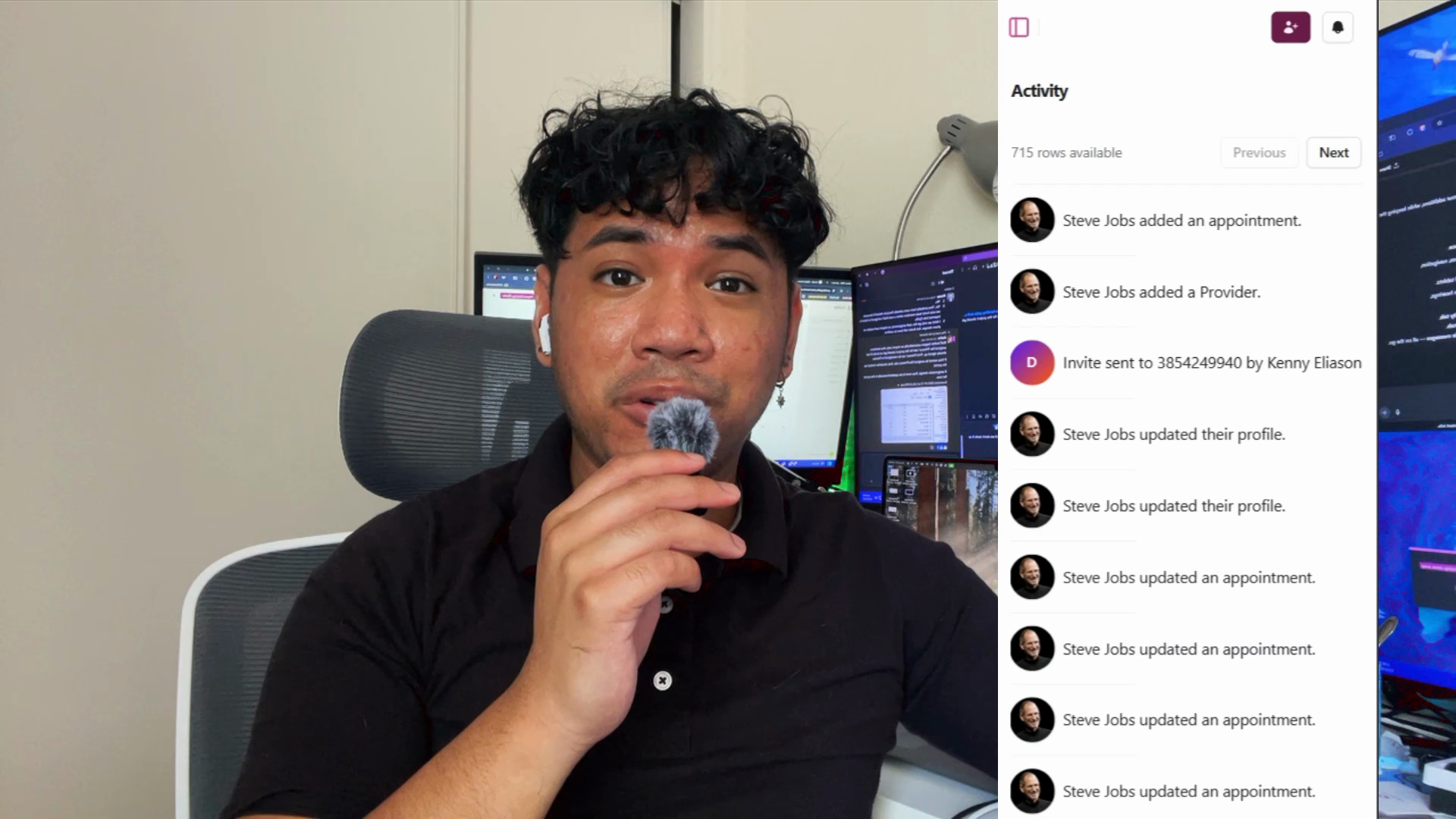 2:11
2:11Email Digests & Mobile Upgrades
This release, live as of July 13, 2025, makes Quilia’s portal more powerful, flexible, and mobile-friendly than ever. In this walkthrough, Jeremiah highlights the biggest updates, including new client communication tools, workflow improvements, and expanded case management integrations. Key updates in this release: Client Activity Email Digests – Get daily or weekly summaries of messages, forms, document uploads, and appointments straight to your inbox. Mobile Experience Overhaul – Faster, cleaner navigation and improved touch controls, so you can manage cases and client communication on the go. Full Smokeball Support – Two-way syncing for cases, clients, status updates, document uploads, and activity. Additional improvements include more reliable case imports, better client invitation handling, multi-case support under single clients, cleaner Neos displays, and enhanced org-level settings for larger firms. If you’re a Smokeball firm—or just looking to make client updates more seamless—this release makes Quilia easier and more effective than ever.
case management softwarelaw firm efficiencyquilia release notessmokeball integration