Wednesday, January 28, 2026
Enhanced Case Management and Provider Tracking
Version 2026.1.6 brings powerful new features for case management, provider tracking, and client engagement to the Quilia attorney portal.
Client Engagement Tracking
Monitor client activity and engagement at a glance with new dashboard analytics and status badges.
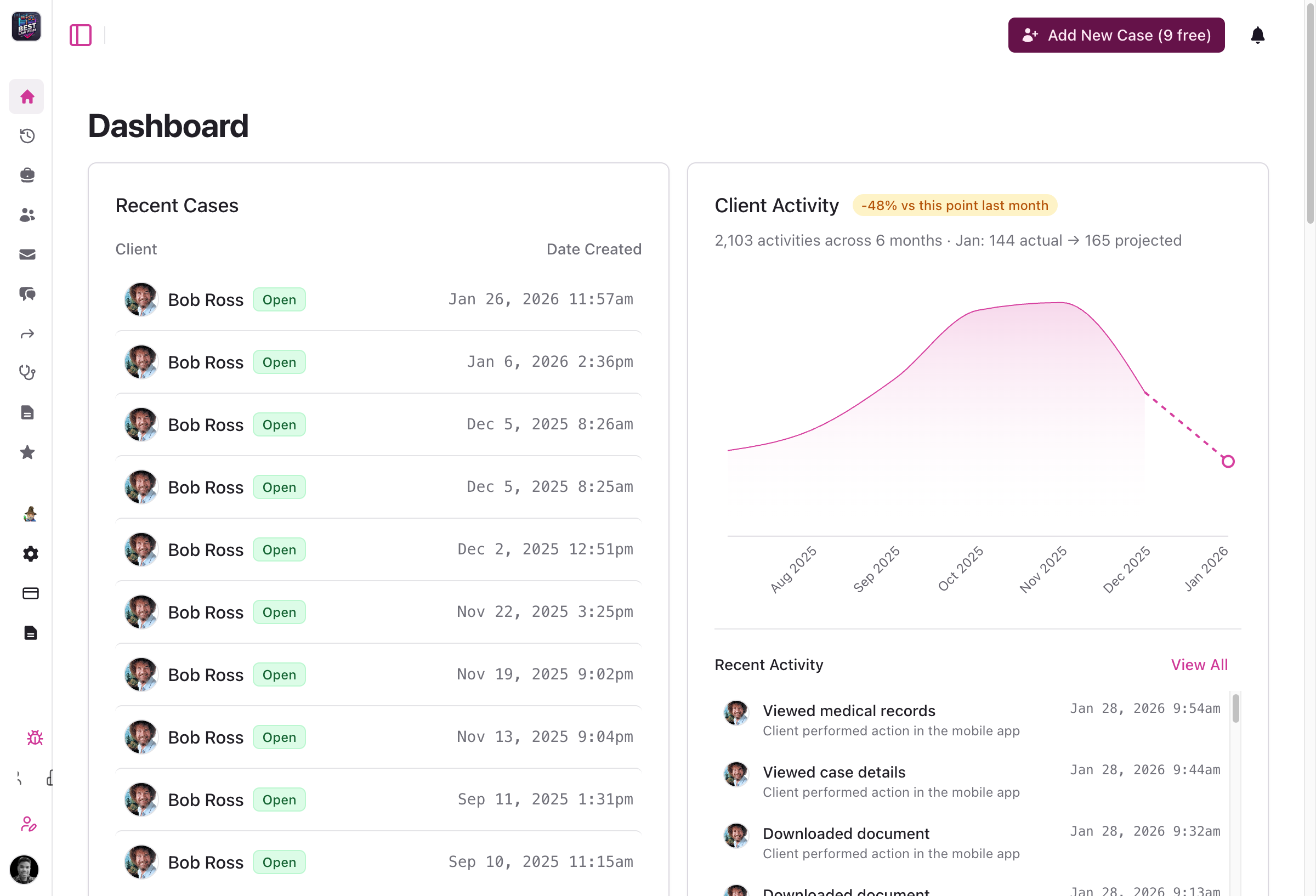
- Status badges: Visual case status indicators throughout the client interface for quick case state identification
- Activity charts: New client activity charts on the dashboard showing engagement patterns and projections
- Engagement analytics: Detailed analytics on client detail pages with activity metrics
- Better organization: Client activity data moved to dedicated analytics engagement page for clearer insights
Internal Notes System
Keep your team aligned with a new internal notes system for case pages.
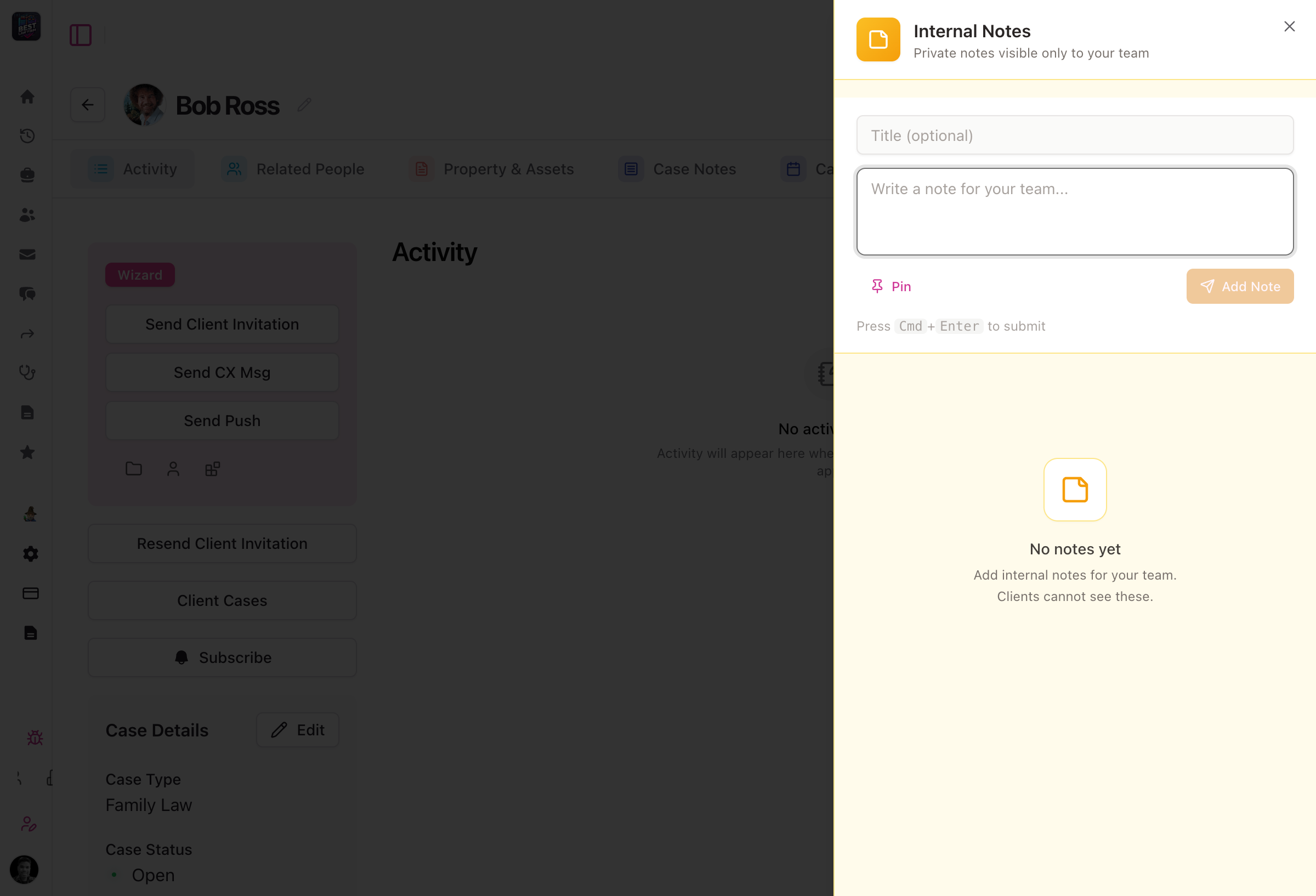
- Firm-only notes: Add internal notes that are only visible to your firm's staff
- Pinned notes: Pin important notes for quick access and visibility across your team
- Threaded replies: Reply to existing notes to keep conversations organized
- Always accessible: Internal notes appear on all case detail pages via a parallel route
Messages Interface Redesign
A cleaner, more powerful messaging experience with card-based layouts and expanded details.
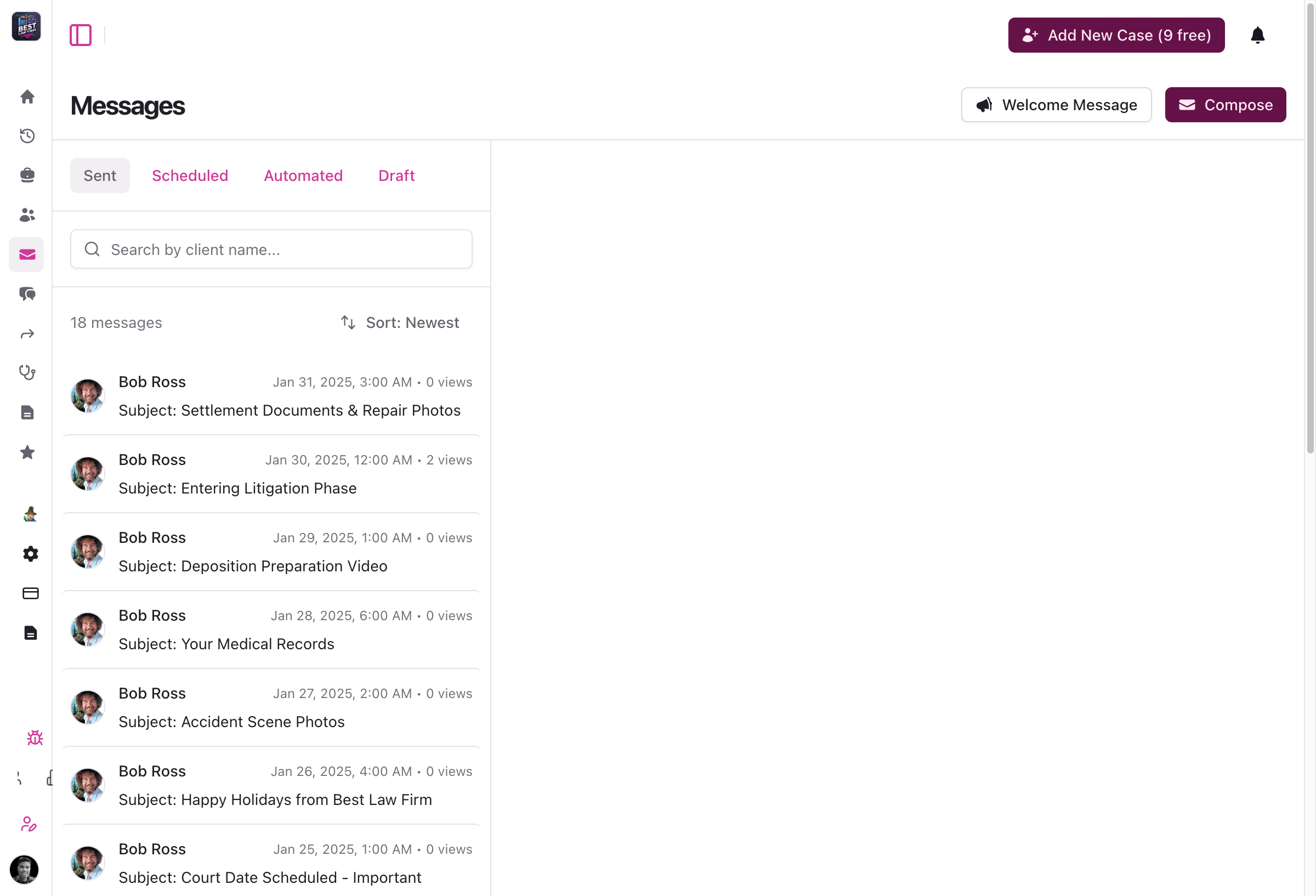
- Card layout: Messages displayed in a clean card-based design for better readability
- Improved search: Enhanced search functionality for faster message discovery
- Sender distinction: Clear differentiation between message sender and creator
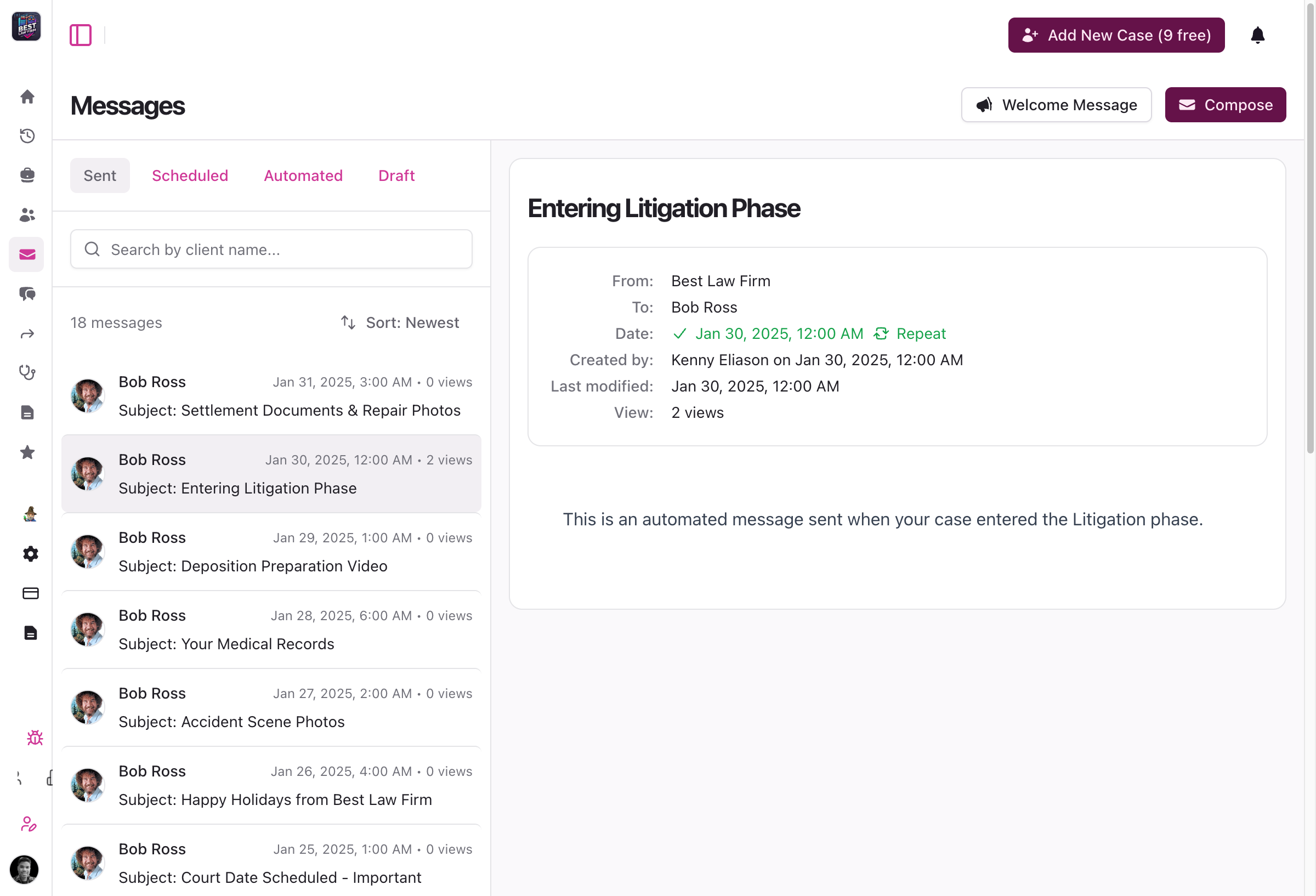
- Expanded details: Sheet-based viewer for full message details
- Image lightbox: Click to expand images in messages with a full-screen lightbox
- Better organization: Fixed Activity tab ordering and improved overall navigation
Organization Settings Consolidation
Streamlined organization management with consolidated settings and virtual location support.
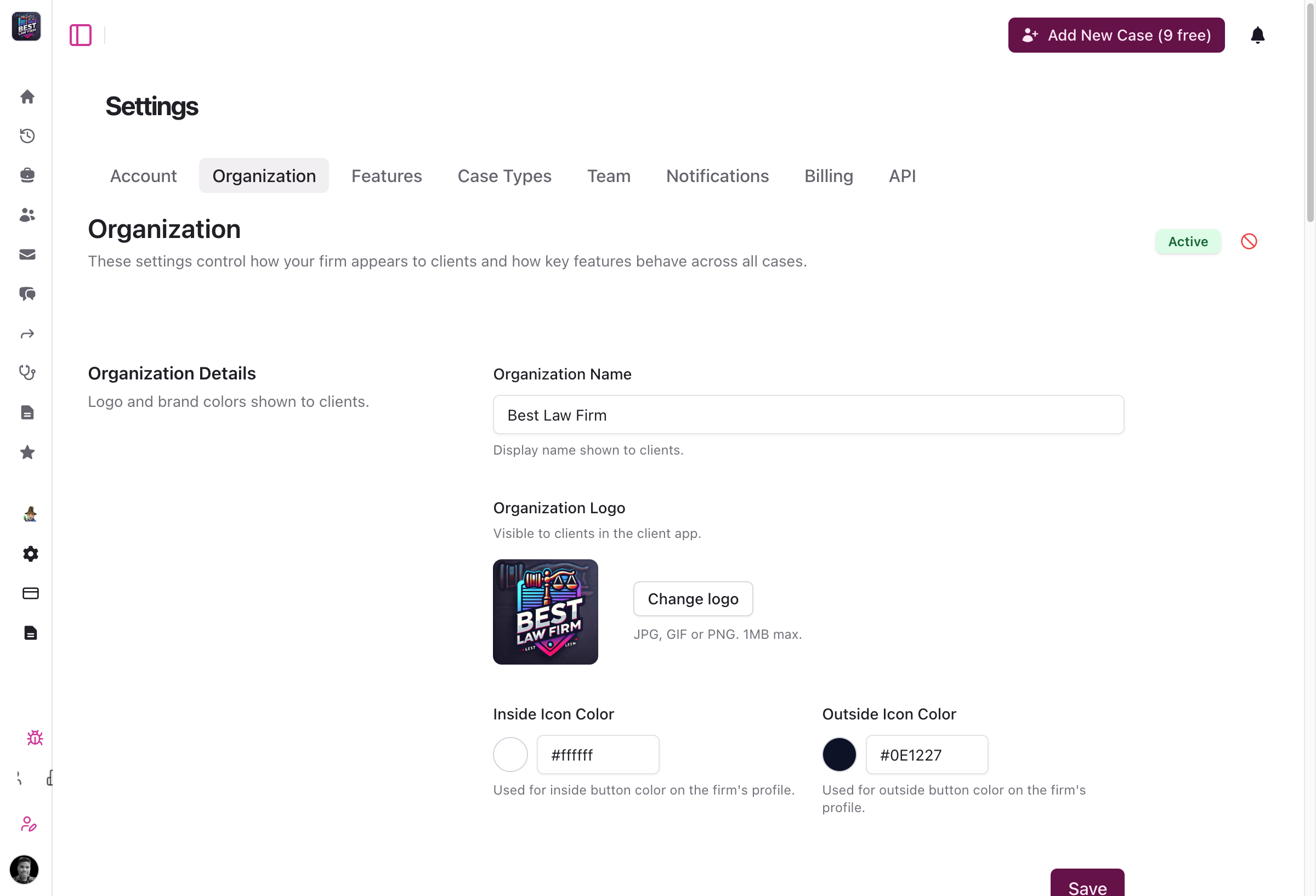
- Unified settings: Appearance and general settings consolidated into a single form
- Cleaner interface: Simplified navigation for organization configuration
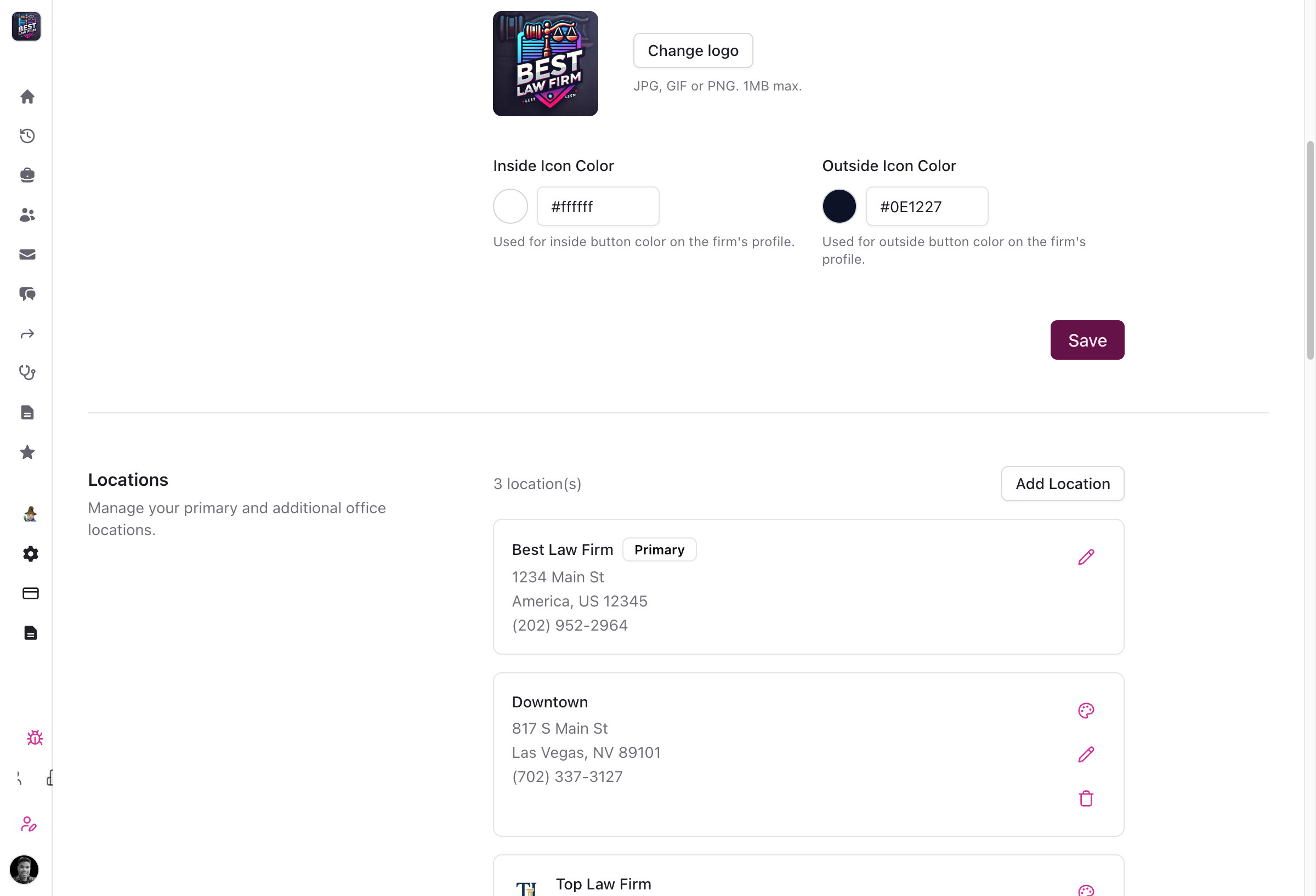
- Virtual locations: Designate locations as virtual/remote without requiring a physical address
- Clear labeling: Virtual locations display a "Virtual" badge throughout the portal
- Better dropdowns: Location selection dropdowns show organization branding names
Provider Management Enhancements
Better organize and track medical providers across your cases.
- Specialty tracking: Add and track medical specialties for each treatment provider (e.g., orthopedic surgeon, physical therapist)
- Treatment types: Record the type of treatment provided at each appointment for better medical record organization
MyCase Integration Improvements
More control over how your cases sync with MyCase.
- Explicit case mapping: Case type suggestions now require your explicit approval instead of automatic application
- Clear unmapping: New "Clear selection" option to easily unmap previously mapped case types
- Compact UI: Case type suggestions appear as compact inline pills for less visual clutter
- Better pagination: Improved data loading with support for up to 1000 items per page
Bug Fixes and Stability
- Activity feed images: Fixed broken image URLs in activity feed caused by incorrect file path handling
- Activity log formatting: Pain score entries now show "Pain Score Added" as the title with body parts in the description
- Client page display: Fixed page title rendering and case status badge display issues
- Neos integration: Case numbers now display correctly instead of showing internal UUID values
- SmartAdvocate integration: Improved reliability of case member creation with better error handling
- Custom case types: V2 API now properly accepts custom CMS case types from integrations like Ethos