Thursday, October 2, 2025
CaseChat: Real-Time Translation & Activity Logs
This update adds real-time translation, a redesigned chat interface, and more reliable notifications to CaseChat. Your team can now communicate with clients in their preferred language directly within the app.
Key Updates in This Version
Real-Time Translation
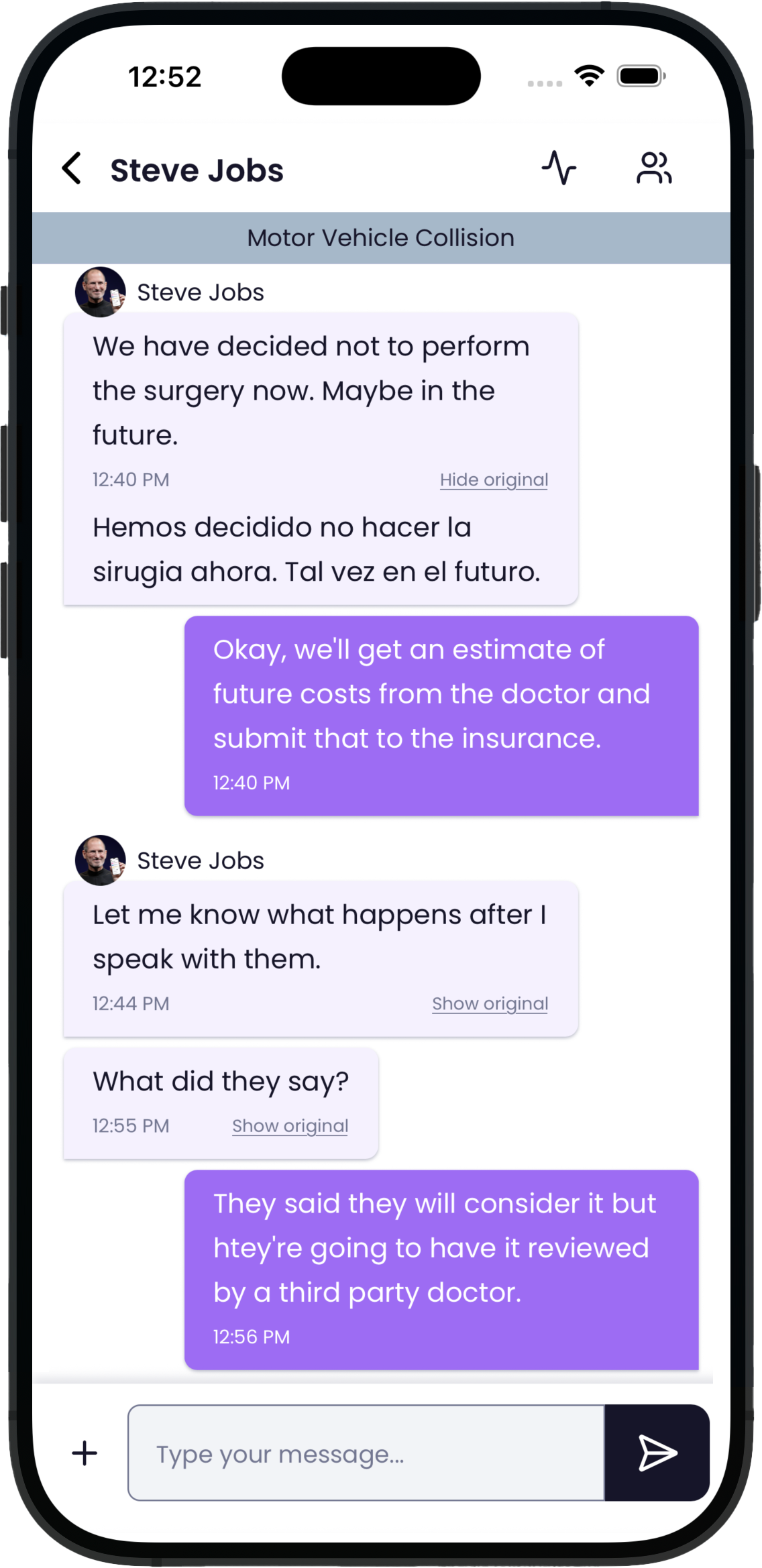
Now your team can communicate seamlessly with clients in their preferred language, no matter what they speak.
-
Instantly translates client messages into your chosen language
-
Smart detection automatically identifies and routes different languages
-
Staff and clients can set their language preferences once and stay consistent
Why it matters: Personal injury firms serve diverse communities. With real-time translation, your team can build trust and accuracy from the very first message — without hiring interpreters or juggling external tools.
A Modern Chat Experience
CaseChat has been redesigned to look and feel more intuitive, whether you're at your desk or on the go.
-
Cleaner layout with clearer message organization
-
Streamlined file sharing for faster document handoff
-
Responsive design optimized for mobile and desktop
📌 CaseChat is available wherever you work best — in the Quilia Portal, through the CaseConnect Chrome extension, or via the attorney login on our mobile app.
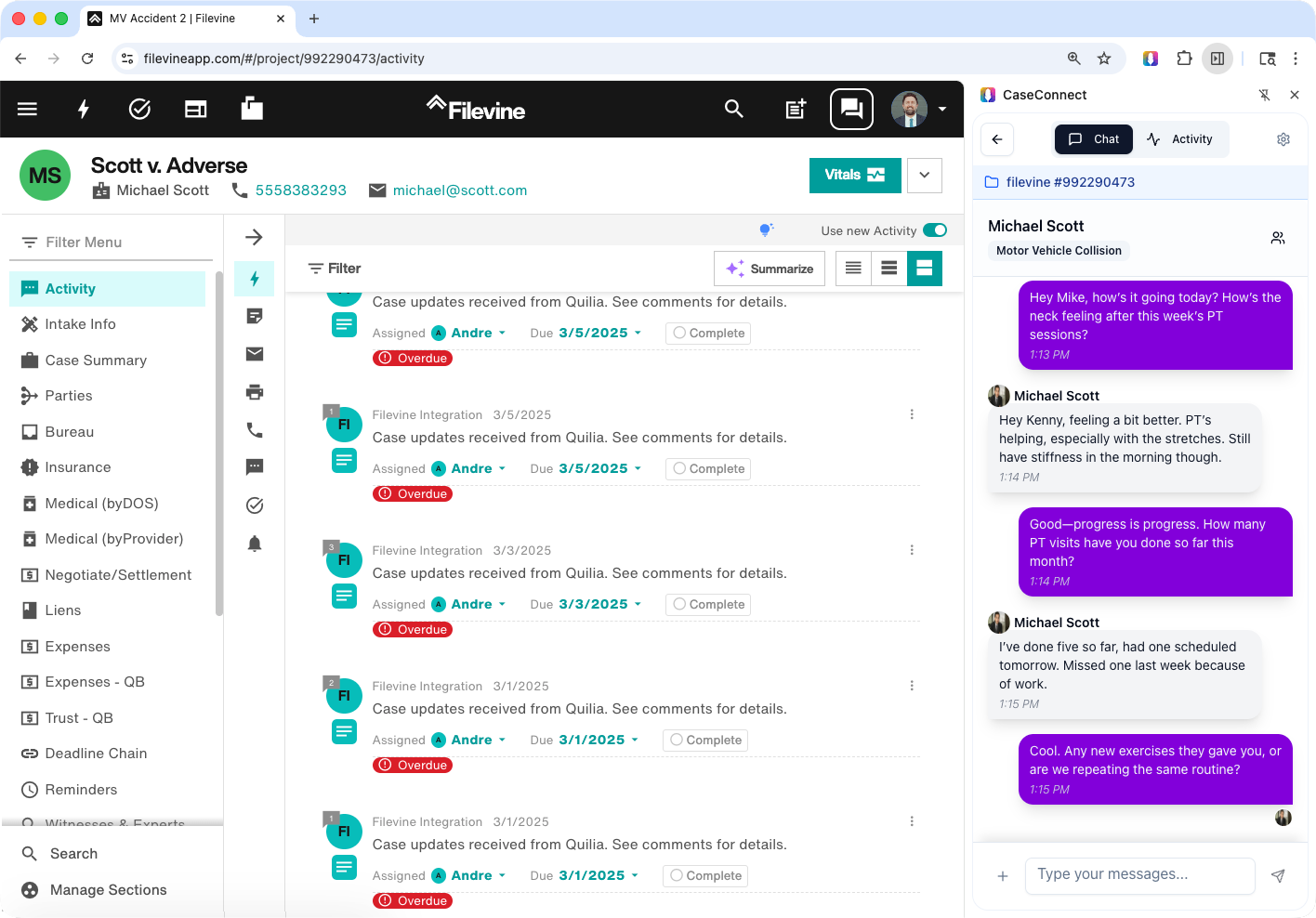
Why it matters: A faster, cleaner interface means less time digging for messages and more time focused on the client.
CaseChat Activity Log
Stay fully up to date by checking the Activity Log from CaseChat.
-
See every client action in one timeline — from messages to uploads
-
Track read receipts so you know when clients have viewed your updates
-
Keep case communication organized and easy to review
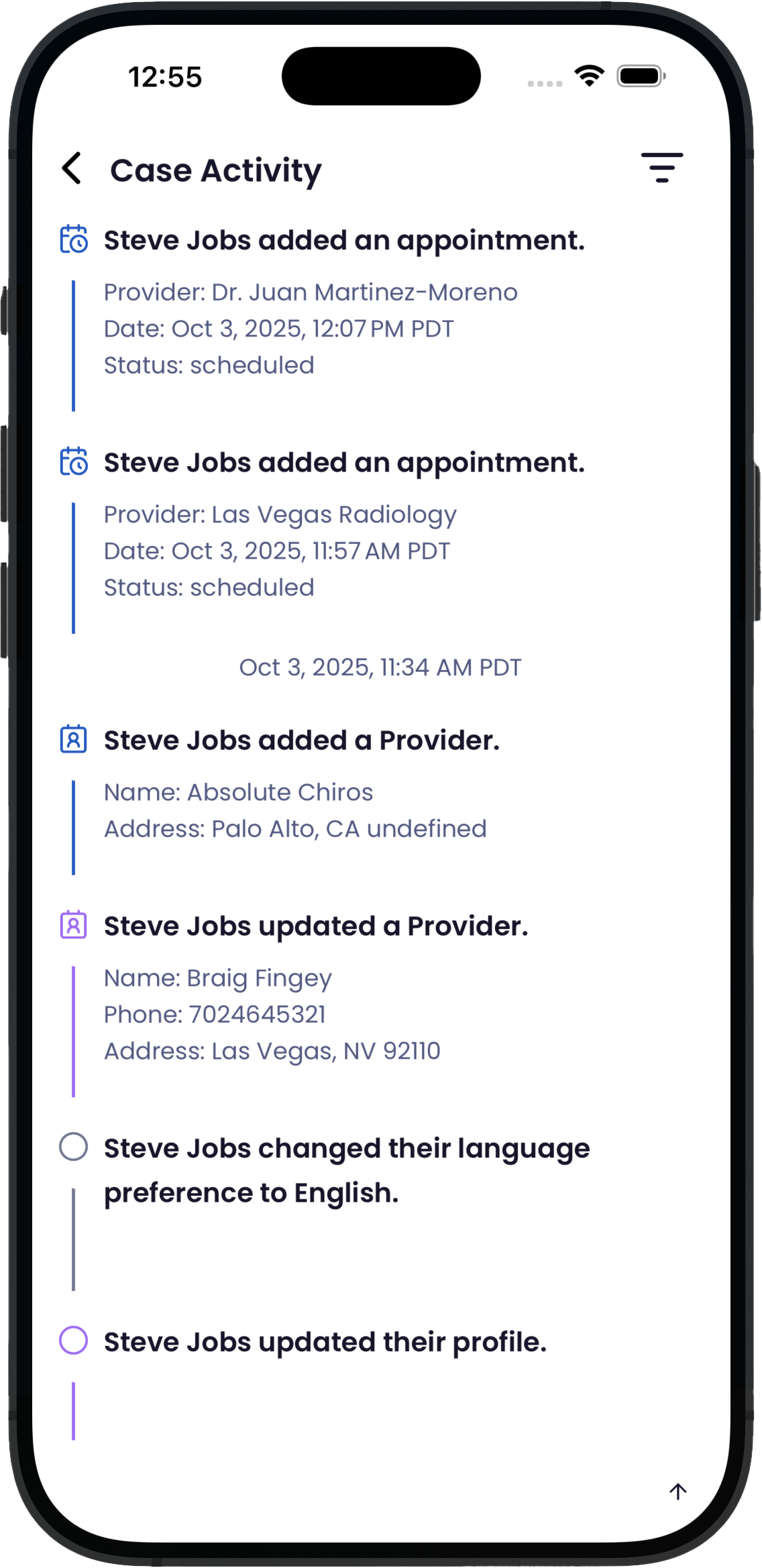
Why it matters: The Activity Feed gives your team complete visibility into client communication, so nothing gets overlooked.
Other Enhancements
-
Faster chat loading and smoother performance
-
Recent messages always appear at the top of each conversation
-
Attachments now open reliably across all devices
-
Added a search bar to the attorney login on the app for easy client-message look up
What's Next in Quilia
We're working on new features to give your firm even more flexibility:
Requests — Custom, On-the-Spot Forms
-
Digitize any paper form your staff currently uses
-
Instantly request documents, updates, or details directly in Quilia
-
Keep client responses organized, case-ready, and tied to the matter at hand
📌 Update: Custom Requests launched in October 2025. See Custom Requests Are Here for details.