Friday, August 15, 2025
Pain Score Chart, Better Documentation, and Smarter Follow-ups
This update adds a Pain Score Chart for tracking client recovery, witness photo uploads, automated SMS reminders, and real-time case phase syncing from Neos.
Key Updates in This Version
Pain Score Chart for Personal Injury Cases
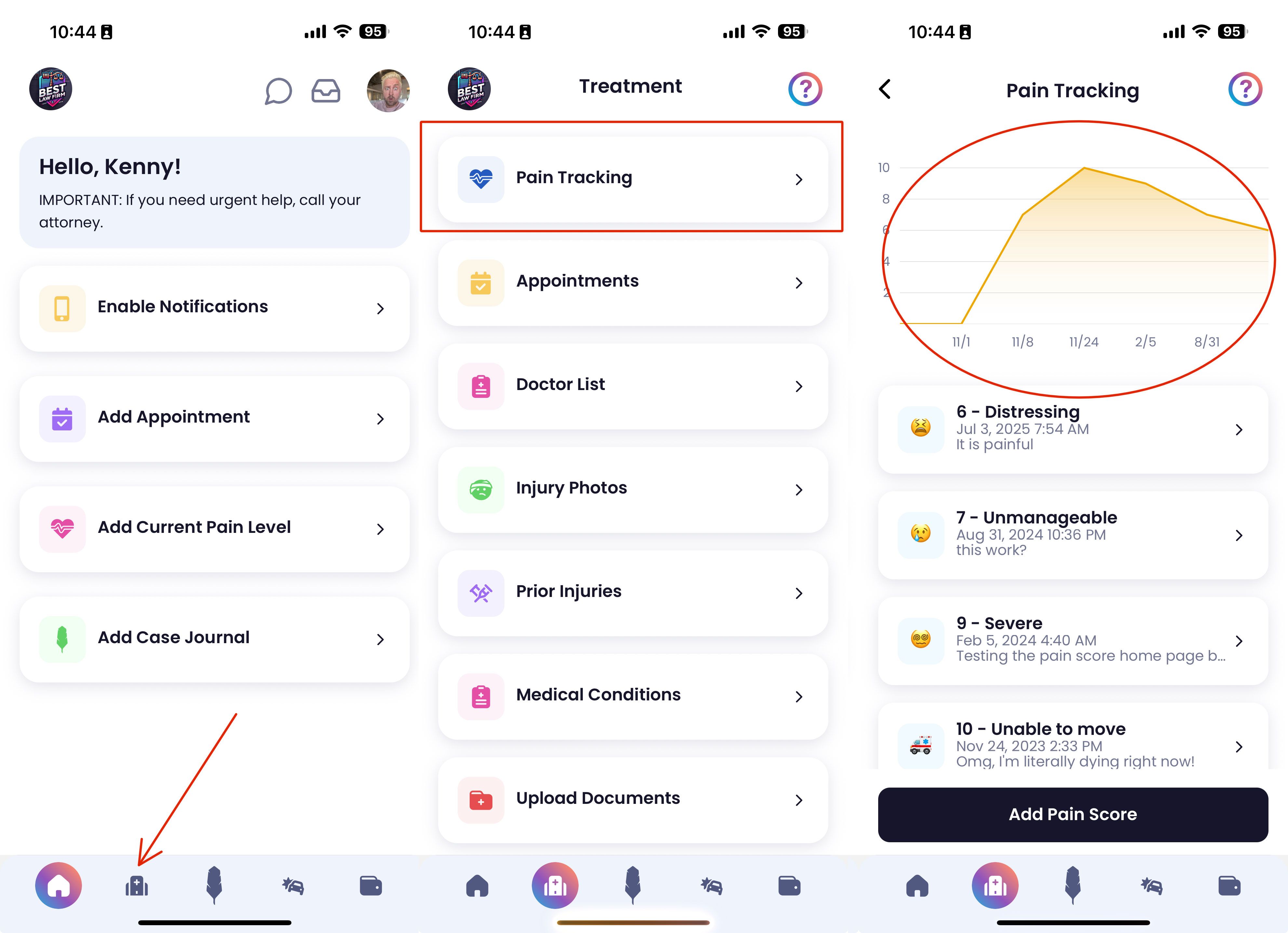
Clients can now log their daily pain levels (0–10) in the Quilia app, creating a clear, visual timeline of recovery that shows:
-
Pain trends over time
-
Peaks and improvements tied to treatment milestones
-
Visual context that strengthens demand packages and case narratives
Why it matters: Attorneys get time-stamped, client-entered pain data without manual check-ins. This helps build stronger medical narratives and supports more persuasive settlements.
📌 Tip: In the Quilia app, go to the Treatment tab and select Pain Tracking to view the chart.
Witness & Other Driver Photo Uploads
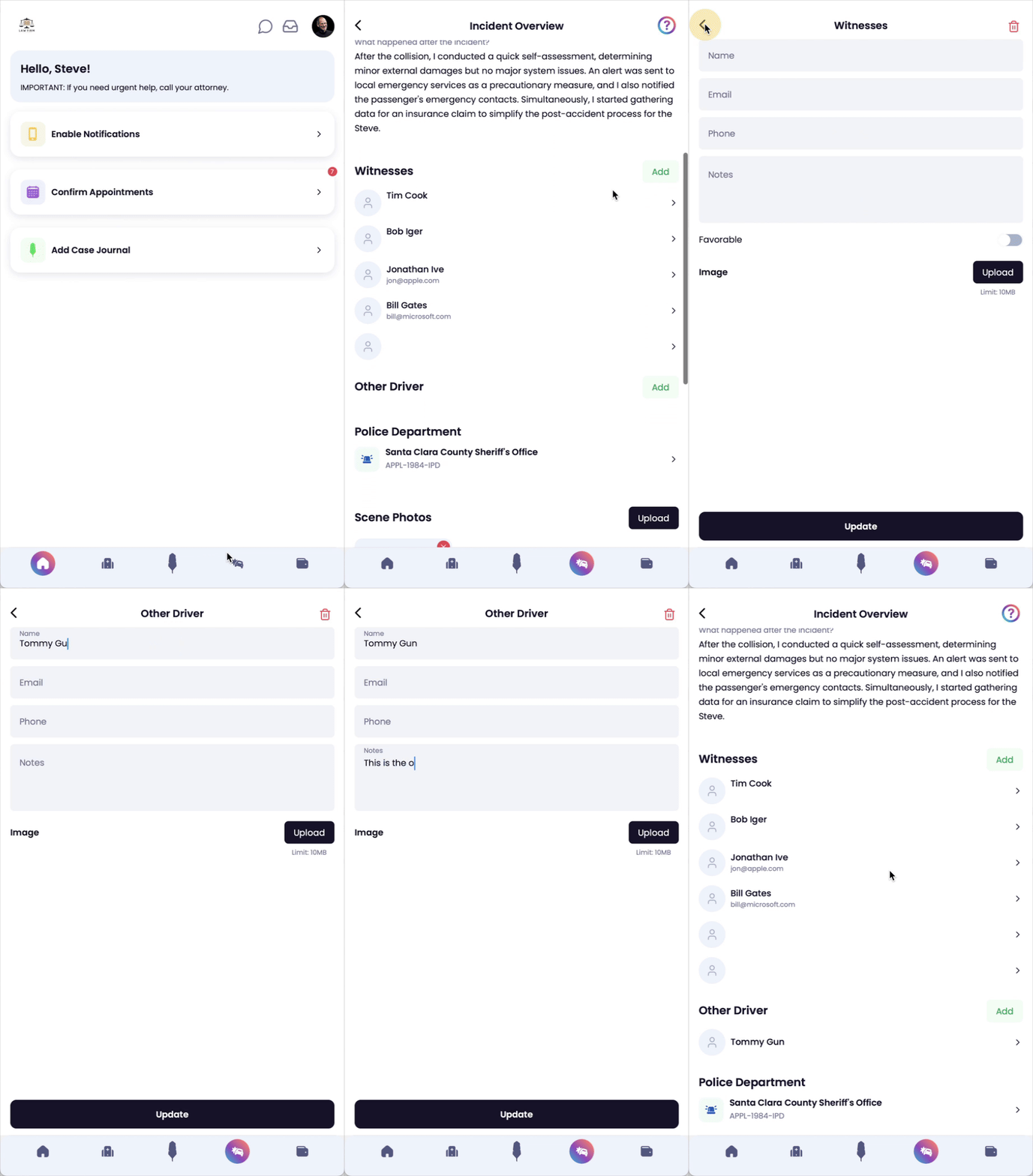
Clients can now upload photos of witnesses or other drivers directly from their device into the Quilia app.
-
All visuals are stored in one organized location
-
Photos are instantly accessible for negotiations or litigation prep
-
Reduces reliance on email or text for critical evidence
Why it matters: Gathering supporting visuals no longer depends on the case manager chasing them down. Everything is organized, searchable, and case-ready.
Automated SMS Invitation Follow-Ups
Our new automated text reminders send follow-ups to clients who haven’t set up the app after the initial invite.
-
Boosts client adoption rates
-
Reduces time wasted on manual follow-up
-
Keeps your caseload moving without extra admin effort
Why it matters: You’ll see more clients engaged in the app from day one, which means more complete case files and fewer delays.
Neos Case Phase Sync
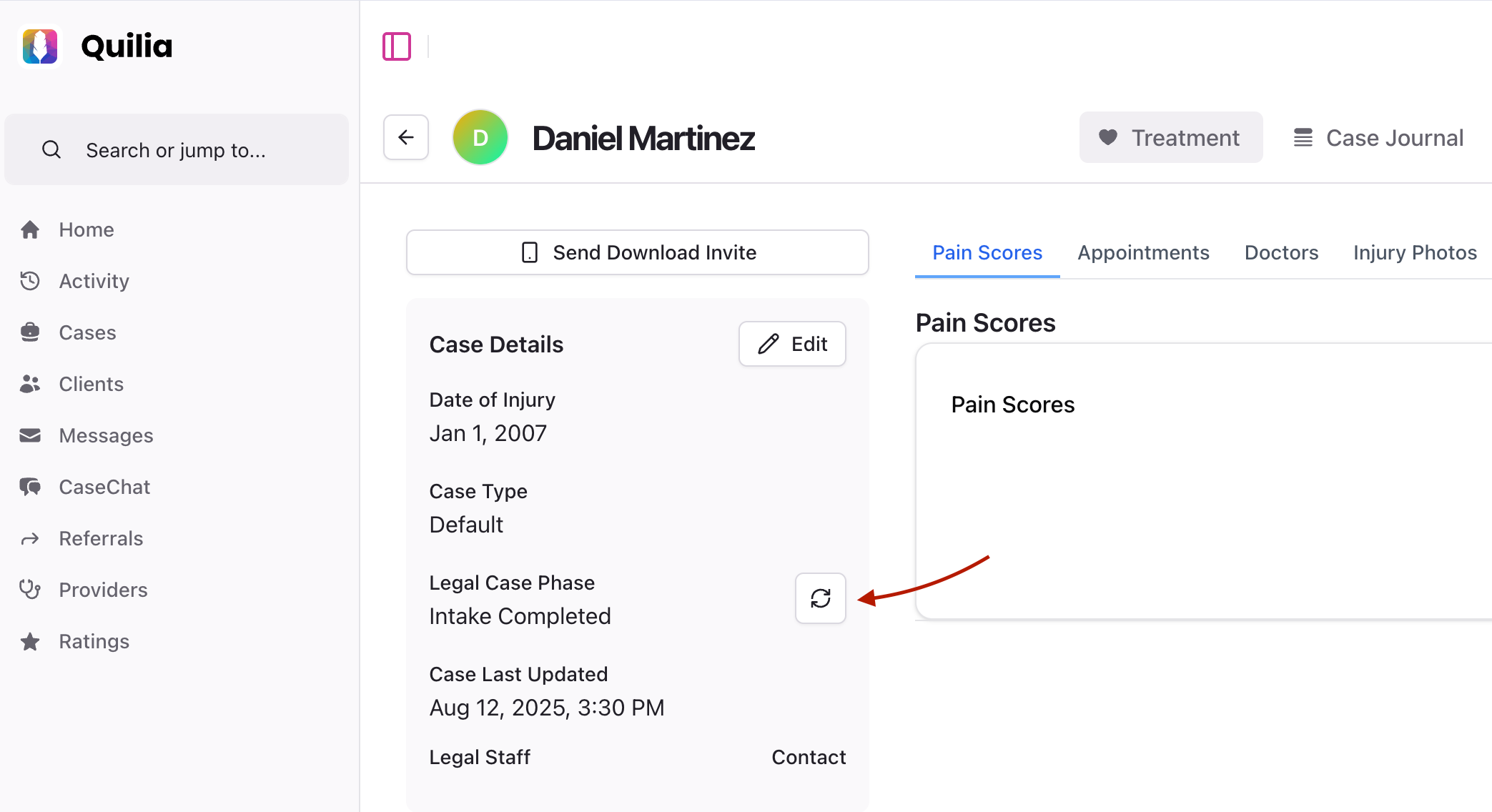
Phase changes in Neos now sync automatically into Quilia.
-
Automatic sync keeps both systems aligned in real-time
-
Manual sync option available for on-demand updates
Why it matters: You’ll never have to wonder if case statuses match between Neos and Quilia, making reporting and client updates more reliable.
Other Enhancements
-
Faster case pages in the attorney portal for smoother navigation
-
More reliable client activity digests with improved delivery
-
Enhanced provider search in the app for quicker lookups
What’s Next in Quilia
We’re building on this release with features that make personal injury case management software even more proactive and attorney-friendly.
Granular Analytics & Custom Dashboards Tailor your reporting view, track case manager performance in detail, and identify trends in client engagement.
Intelligent Appointment Reminders Clients will get automated nudges before appointments to prepare, plus post-appointment prompts to update their case.
More Reliable Notifications Switching from push notifications to on-device background tasks so critical updates are delivered without fail.
AI Summaries for Email Digests Personalize your daily email summaries to highlight the activity that matters most. Get a clear, AI-powered snapshot of client progress, case changes, and key follow-ups—so you know exactly where to focus your efforts each day.
📌 These updates are designed to give you deeper insight into your caseload and keep clients actively engaged—without adding extra work for your team.